If you’ve ever looked up VPNs, you’ve probably run into a wall of technical words.
Encryption. Tunneling. Protocols.
It sounds like something you need an IT background to understand.
But honestly, you don’t.
At its core, something like NordVPN is just a tool that makes your internet connection a little more private and a little harder for others to peek into. That’s it. Once you look at it that way, everything else starts to make sense.
What actually happens when you go online
Normally, when you open a website, your device connects directly to it.
It’s a straight line. Your internet provider can see where you’re going, and the website can see basic details about your connection, like your IP address and general location.
You don’t notice any of this while browsing, but it’s always happening in the background.
What changes when you turn on NordVPN
When you use NordVPN, you’re basically adding a middle step.
Instead of connecting straight to a website, your connection goes to a NordVPN server first, and then from there to the website.
So now:
- The website sees the VPN server, not you
- Your internet provider sees that you’re connected to a VPN, but not what you’re doing inside it
It’s like sending a letter through a trusted middleman instead of handing it over directly.
The “encryption” part, without the jargon
You’ll hear the word encryption a lot, but it’s not as complicated as it sounds.
Think of it like putting your data inside a locked box.
Even if someone manages to grab that box, they can’t open it and read what’s inside.
This is especially useful on public WiFi. Places like cafés, airports, or hotels aren’t always secure, and that’s where a VPN makes a noticeable difference.
With NordVPN on, your connection is scrambled in a way that’s very hard to read.
What it means to hide your IP address
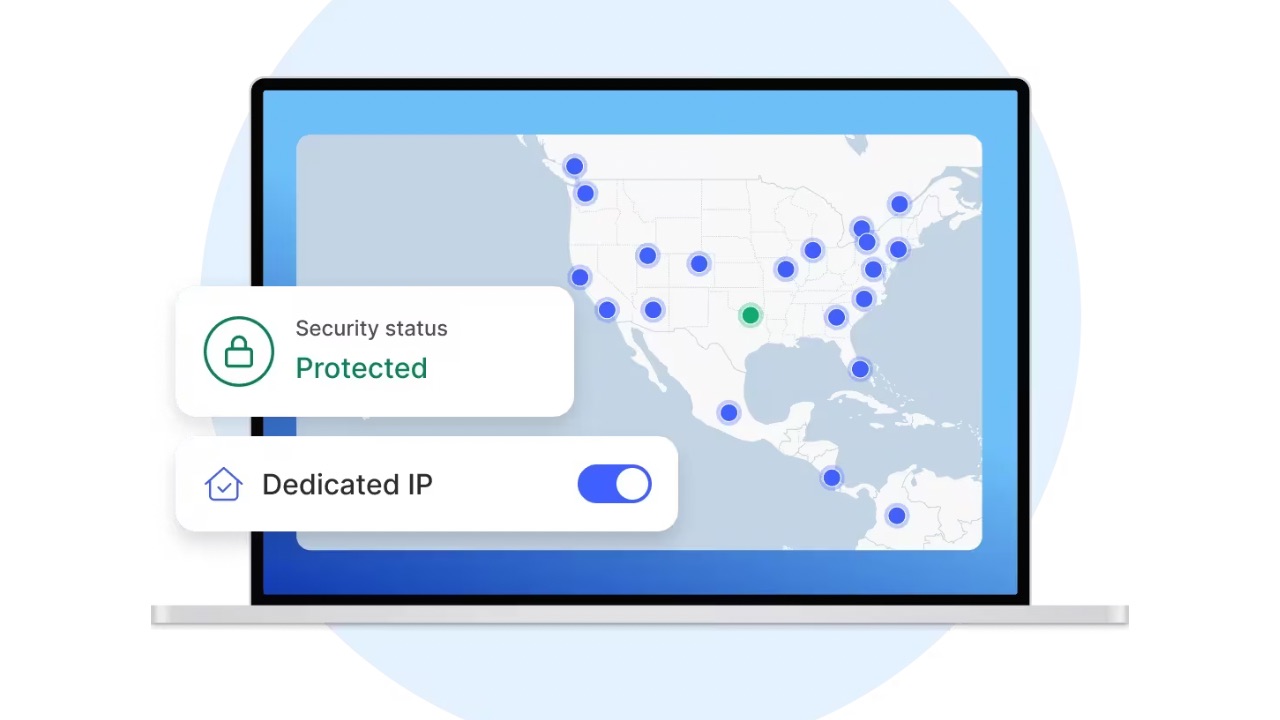
Every device connected to the internet has an IP address.
You can think of it like a rough location tag. It doesn’t show your exact home, but it basically gives websites an idea of where you are.
When you use NordVPN, that gets swapped out.
Instead of your real network IP, websites see the IP of the VPN server you’re connected to. So this way, if you connect to a server in another country, it looks like you’re browsing from there.
It’s not about pretending to be someone else. It’s just about not sharing your actual location by default.
The “tunnel” idea, explained simply
You might hear people talk about “secure tunnels.”
All that really means is your data is traveling through a protected path.
Imagine sending messages through a sealed pipe instead of shouting them across a crowded room. No one in between can easily listen in or interfere.
That’s what NordVPN is doing in the background while you browse normally.
When people actually use it
Most people don’t use a VPN for anything dramatic.
It’s for everyday situations like:
- Connecting to public WiFi without worrying too much
- Wanting a bit more privacy while browsing
- Avoiding continuous tracking across websites
- Accessing content as if they’re in another region
It’s less about hiding and more about having a bit more control over what you share.
What it doesn’t magically fix
It’s easy to think a VPN solves everything. It doesn’t.
It won’t:
- Protect you from every online threat
- Stop all tracking completely
- Replace basic things like strong passwords or safe browsing
It’s just one layer of protection, not the whole system.
What it feels like to use
This is the part people overestimate.
Using NordVPN isn’t complicated at all.
You open the app, tap connect, and that’s pretty much it. After that, it just runs in the background.
You might notice a slight change in speed depending on the server, but for regular use, it’s usually not a big deal.
The simple way to think about it
NordVPN isn’t doing anything magical.
It’s just:
- Changing the path your internet takes
- Locking your data while it travels
- Hiding your actual connection details
And it does all of that without you having to think about it after you turn it on.
Final thought
You don’t need to understand every technical detail to use a VPN.
You just need to know what it’s helping you do, which is keep your connection a bit more private and a bit more secure than it would be otherwise.
Once you see it that way, it stops feeling complicated and starts feeling like a pretty normal part of being online.
Also Read: Smoothies on the Move Start With These Compact Blenders on Temu France