Best USB hubs to check out: Running out of ports has a way of making even a simple setup feel unnecessarily crowded. A good USB hub fixes that fast, giving every device its place without turning the desk into a constant unplug-and-replug routine.

USB hubs worth exploring on Temu Spain
These products have been curated from Temu Spain for shoppers who want connectivity tools that feel compact, practical, and useful for laptops, PCs, and everyday multi-device setups. It is the kind of category that makes the setup flow better with very little effort.
These five products may sit in the same category, but they are not meant for the same kind of user. Some are just there to add a few extra ports for everyday accessories, while others are closer to full laptop docks that help with charging, monitor output, memory cards, and wired internet. That is really the first thing to get clear before choosing one. A simple USB hub can be perfectly fine if the only goal is plugging in a mouse, keyboard, or flash drive. But if the setup includes an external display, card transfers, or pass-through charging, a basic hub stops feeling like enough pretty quickly.
The second thing that matters is speed and port mix. A product filled mostly with USB 2.0 ports is fine for low-demand accessories, but it is less appealing for faster storage and more modern desk setups. A USB-C dock with HDMI, card slots, and power delivery simply does more. So the best choice here depends on whether the need is light expansion, a proper desk companion, or something in between.
The 5 Picks
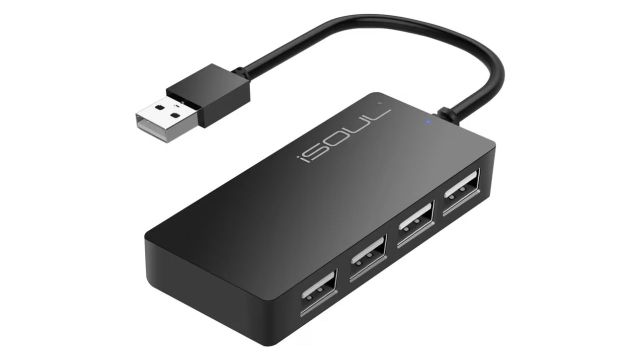
iSOUL USB Hub 4-Port USB 2.0 Hub is the simplest one here. It looks like the kind of hub for someone who just needs a few extra USB ports without spending much or carrying something bulky. The compact shape is a plus, and it likely works well for a mouse, keyboard, controller, or other small peripherals. The drawback is obvious: it is a basic USB 2.0 hub, so this is not the one for a more serious desk setup.
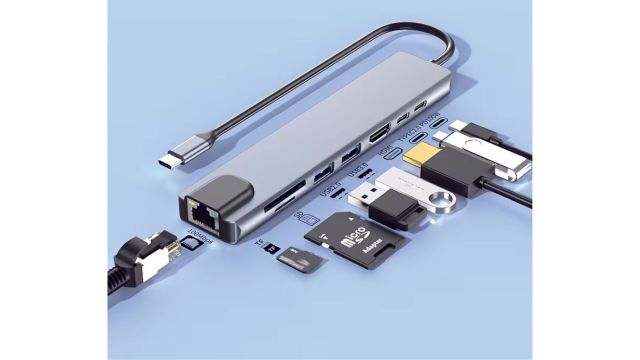
8-in-1 USB C Docking Station is where things start becoming more useful. It gives a much broader spread of ports, including HDMI, Ethernet, USB-C, USB-A, and SD/TF card slots, along with up to 87W charging output. That already makes it far more practical for someone using a modern laptop as a work machine. It is not the most premium-looking option in the group, but the overall mix is strong and sensible.
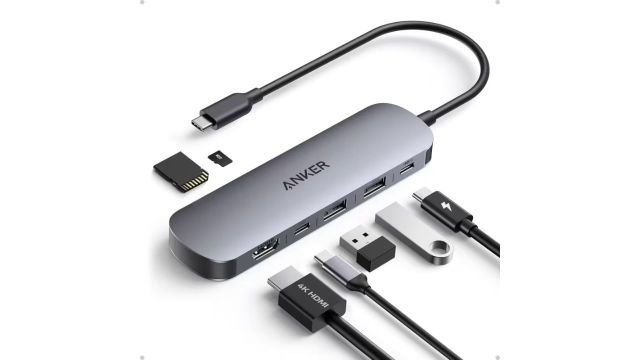
Anker USB C Hub sounds like the strongest all-round option here. The 7-in-1 layout, 4K at 60Hz HDMI, 100W max power delivery, and mix of USB-A, USB-C, and SD/TF card support give it the cleanest balance of modern usefulness and simplicity. It sounds like the one that would satisfy most people without asking them to compromise too much. If one hub here feels the most finished, it is this one.
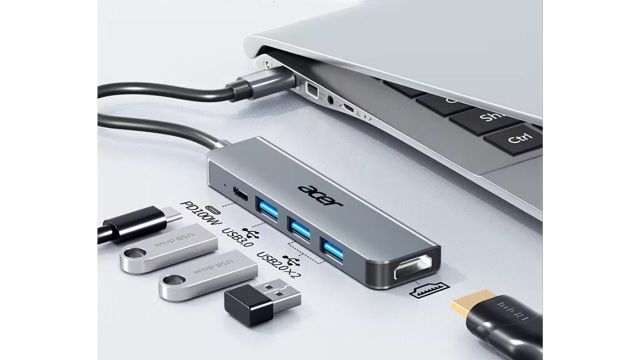
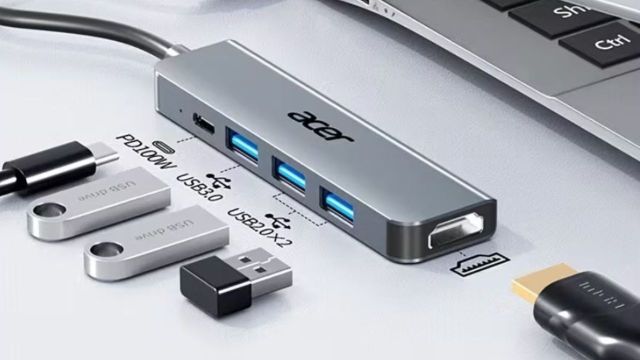
Acer USB-C Dock with HDTV Adapter & PD Charger feels like a practical middle-ground dock. It covers USB 3.0 and 2.0 expansion, 100W power delivery, HDMI output, and an aluminum alloy shell. It sounds dependable enough for someone who wants a monitor connection and charging support without chasing every possible extra port. The only thing that slightly weakens it is the 4K at 30Hz ceiling, which makes it less smooth for display use than the Anker hub.
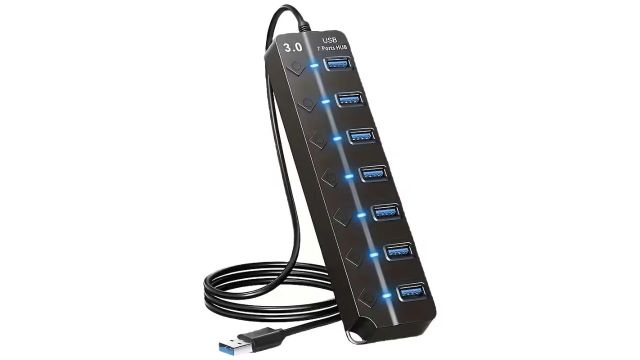
Multi-Function USB Hub is clearly the utility piece. Six USB 2.0 ports and one USB 3.0 port make it useful for someone with lots of accessories, but it is important that it is not meant for charging. This feels like the kind of thing that lives on a desk beside a keyboard, printer, mouse, and a couple of dongles. It is practical in a narrow way, but not really a laptop dock in the fuller sense.
Also Read: Portable Fire Pits For Backyard Gatherings And Camping
How They Compare
If the goal is just adding more USB ports, iSOUL and the Multi-Function USB Hub are the easy picks. The difference is that the Multi-Function model gives far more ports, while iSOUL feels better suited to someone who wants something smaller and cleaner.
If the goal is a proper laptop dock, the real choices are the 8-in-1 USB C Docking Station, the Anker USB C Hub, and the Acer USB-C Dock. Out of those three, Anker sounds the most balanced, the 8-in-1 dock sounds the most value-packed, and Acer sounds like the simpler monitor-and-charge option.
Situational Notes
For a home or office desk with an external display, charging needs, and memory card use, the USB-C docks make much more sense than the plain hubs. That is where Anker and the 8-in-1 station clearly pull ahead.
For a gaming room or study setup where the main problem is simply not having enough USB ports for accessories, the simpler hubs are still useful. In that case, paying for HDMI and charging features may not add much.
Frequently Asked Questions
Which one sounds best overall? The Anker USB C Hub does. It has the cleanest feature set and feels like the most complete option without becoming overcomplicated.
Is the iSOUL hub enough for normal use? Yes, if normal use just means plugging in simple accessories. It sounds fine for that, but not for a more demanding workstation setup.
Which one is best for a desk with lots of accessories? The Multi-Function USB Hub makes the most sense if the priority is just adding a lot of USB ports in one place.
Does the Acer dock feel weaker than the Anker one? Slightly, yes. It still sounds useful, but the 4K at 30Hz support makes it feel a little less polished for display-heavy use.