
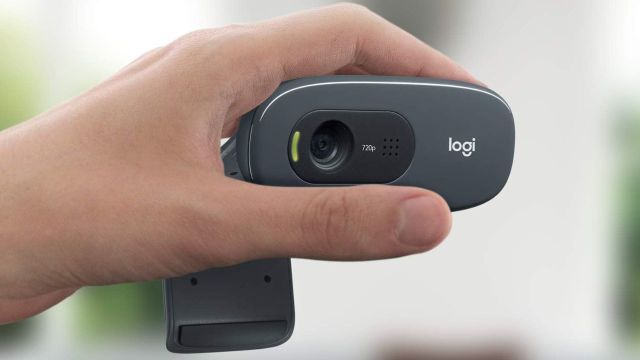
Best Logitech deals to check out: If your desk setup is due for an upgrade, Logitech discounts are usually the easiest “high impact” spend—better typing, smoother tracking, clearer calls. Deal pages and limited-time promos change fast, so it helps to shop by what will improve your day-to-day first (mouse/keyboard/webcam), then price-check before you checkout.

Logitech discounts to consider on Amazon for a better desk setup
These options have been curated from Amazon, focusing on common Logitech desk essentials (mice, keyboards, webcams, headsets) where discounts tend to show up during limited-time deal windows and brand events.
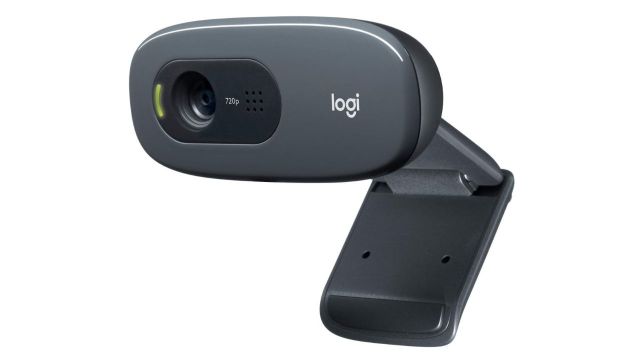
Logitech C270 HD Web Camera is the simplest upgrade for video calls, offering 720p at 30 fps with a 55° diagonal field of view and automatic lighting correction through RightLight 2. Its built-in noise-reducing mic is designed to pick up voice clearly from up to 1.5 meters away, which helps when the laptop is pushed back on a desk. The trade-off is expectations: it’s a practical, entry-level webcam, so it improves clarity and consistency, but it won’t create the crisp, wide, background-separated look associated with higher-end 1080p/60fps models.

Logitech G Pro X Gaming Wired Over Ear Headphones are a very different kind of purchase: not a general-purpose headphone, but a headset built around voice and positional audio. Blue VO!CE mic filters work through the included USB external sound card with Logitech G HUB on Windows, and DTS Headphone:X 2.0 is aimed at better spatial cues in games. The comfort story is strong as well—memory foam pads with leatherette or velour options—and the build uses aluminium and steel for durability. The compromise is that the headline features are most valuable on PC with the software setup; used as a plain wired headset without that ecosystem, it loses part of its point.
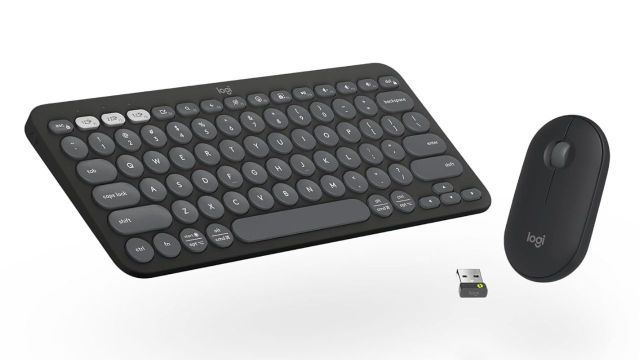
Logitech Pebble 2 Combo is the “carry it everywhere” set: slim, light, and designed to switch across up to three devices, with Bluetooth and a Logi Bolt receiver for flexibility. It also leans into sustainability claims, listing minimum recycled plastic content of 49% for Pebble Keys 2 K380s and 58% for Pebble Mouse 2 M350s (colour-dependent), plus FSC-certified paper packaging. The main compromise is feel and power-user features: portability usually comes at the cost of deeper key travel, heavier switches, and the kind of ergonomics that full-size desks sets offer.
Also Read: Touchscreen Laptops to Enhance Your Daily Productivity
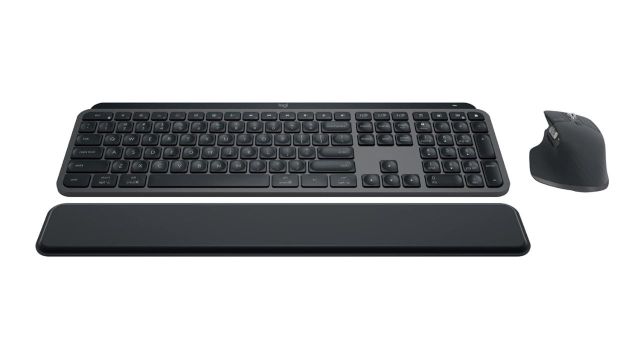
Logitech MX Keys S Combo is the desk-first option for people who type and scroll all day, pairing an MX Keys S keyboard with an MX Master 3S mouse. The pitch is speed and precision: spherically dished keys for more accurate typing, MagSpeed scrolling that can move quickly through long pages, and software features like Smart Actions through Logi Options+. The trade-off is that this is a system purchase; it makes the most sense when used as a primary setup, not as an occasional accessory.
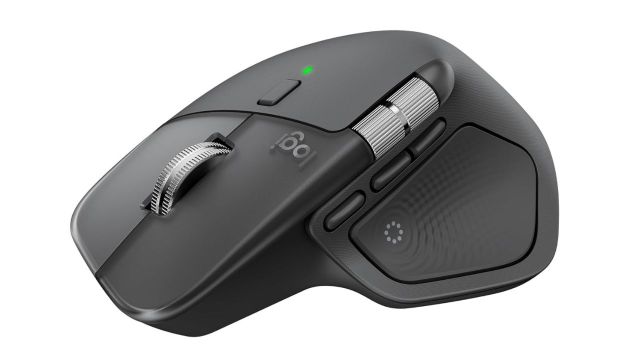
Logitech MX Master 4 reads like the most feature-dense mouse in the list, focusing on haptic feedback (Haptic Sense Panel), app-aware controls (Actions Ring), MagSpeed scrolling, and stronger connectivity via a USB-C dongle alongside Bluetooth. This is the pick for workflows that involve repeated micro-actions—editing timelines, spreadsheets, design tools—where shortcuts and fine control actually save time. The compromise is learning curve: the more it can do, the more it needs personal setup to feel natural rather than distracting.