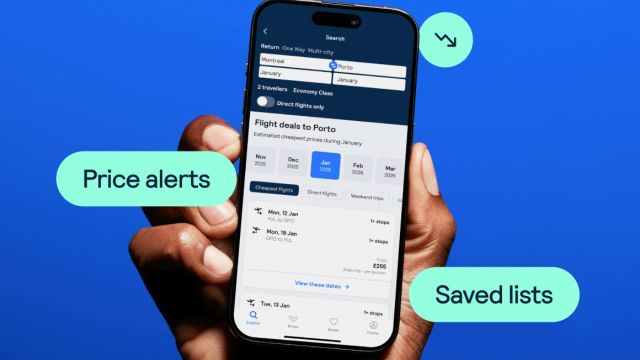
Flight prices don’t behave in a straight line. They go up, drop a little, jump again, and sometimes dip for a short window before climbing back.

The problem is, most people only see one version of that price. They search once, see a number, and either book immediately or keep checking manually every day.
That’s where price alerts come in. Instead of chasing the price yourself, you let Skyscanner track it and tell you when something changes.
What price alerts actually do
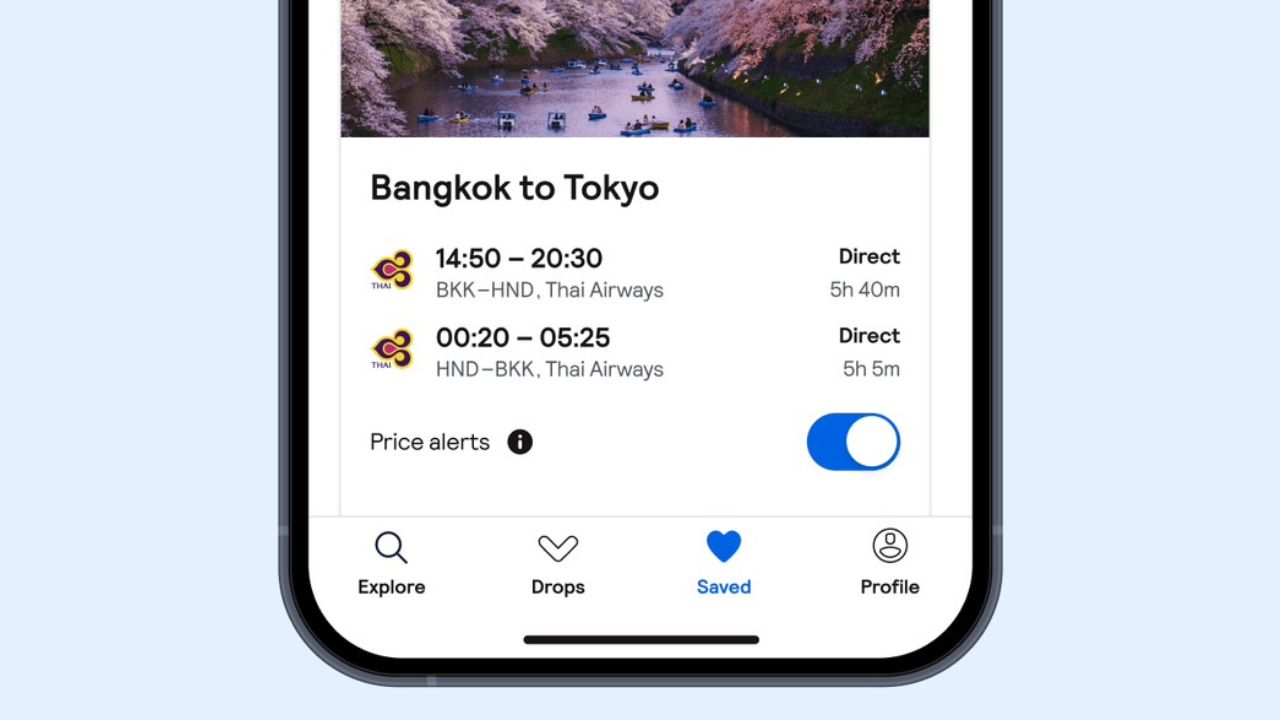
Price alerts are simple in theory.
You search for a route, turn on the alert, and Skyscanner keeps an eye on that flight for you. If the price goes up or down, you get notified.
That’s it.
But the value isn’t in the feature itself. It’s in what it lets you observe over time.
Instead of guessing whether a price is good, you start seeing how it behaves.
How to set one up properly
Start by searching for your route like you normally would. Pick your departure city, destination, and dates.
Once the results show up, you’ll see an option to turn on price alerts.
Enable it, and you’re done.
From that point on, you’ll get updates whenever there’s a noticeable change in price. You don’t need to keep checking the same search again and again.
When price alerts actually help
Price alerts aren’t useful in every situation.
If you need to book immediately, they don’t do much. But if you have a bit of time before your trip, they become much more useful.
They work best when:
- You’re planning weeks or months in advance
- You’re flexible with when to book
- You want to avoid overpaying without constantly checking
They’re less useful when:
- You’re booking last minute
- Prices are already close to departure
- You don’t have flexibility
Watching the pattern instead of one price
This is where things get interesting.
Once alerts start coming in, you’ll notice patterns.
Some days the price drops slightly. Other days it jumps. Over time, you start getting a sense of what’s normal for that route.
For example, if a flight has been hovering around the same range for days and suddenly dips, that’s usually a sign worth paying attention to.
Most people never see this because they only check once or twice.
Real-world situations where this helps
Festive travel is the obvious one.
Flights around holidays or long weekends tend to rise quickly as demand builds. If you set alerts early, you can catch a lower price before the spike.
Same with peak travel seasons. International routes during summer or year-end holidays fluctuate a lot. Tracking them for a few weeks gives you a better idea of when to book.
Even for regular trips, alerts help remove the guesswork. Instead of wondering if you should book now or wait, you have actual price movement to base your decision on.
One small habit that makes it better
Don’t rely on just one alert.
Set alerts for slightly different dates if you can. Even shifting your trip by a day or two might open up cheaper options, and then alerts help you track those differences without extra effort.
It gives you more flexibility without needing to manually search every variation.
What price alerts won’t do
They don’t predict prices.
They won’t tell you the “perfect” time to book. They simply show you what’s happening in real time.
You still have to decide when the price looks good enough.
The simple takeaway
Price alerts aren’t about finding a hidden deal. They’re about giving you visibility.
Instead of checking the same route over and over, you let the price come to you.
And once you start seeing how often fares change, it becomes a lot easier to spot a good deal when it actually shows up.
Also Read: Food People Order When the Cook Is on Leave