Booking flights online can sometimes feel like a small battle. You search once and see a decent price. Come back an hour later and suddenly it’s higher. Open another website and the fare is different again. After a while, you’re left wondering whether you’re actually finding the cheapest ticket or just the one that happened to show up first.

That’s where Skyscanner makes things easier.
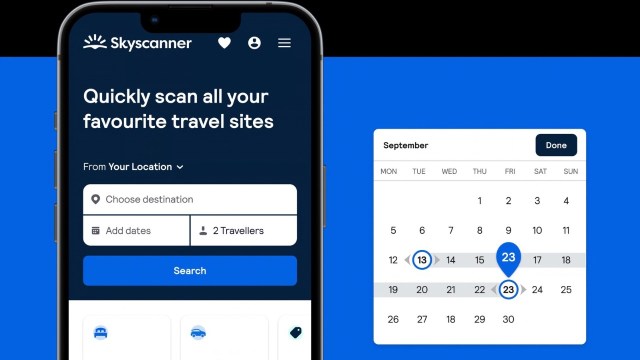
Instead of checking airline websites one by one, Skyscanner scans hundreds of airlines and travel booking platforms at the same time. In a few seconds, it pulls together a long list of flight options so you can compare prices quickly. The real advantage, though, comes from knowing how to use a few of its features properly.
Begin with a simple search
Start by entering your departure city and the destination you want to travel to. Add the dates if you already know when you’re flying, and hit the search button. Skyscanner will immediately show flights from different airlines along with travel time, stops, and ticket prices.
The results are usually arranged under a tab called “Best.” These options balance price with convenience, meaning they won’t always be the cheapest but then they’re often the most reasonable choice overall. If your goal is strictly to spend as little as possible, switch to the “Cheapest” tab to see the lowest fares first.
Check the calendar before locking your dates
Airfare can vary quite a bit depending on the day you travel. A flight on Saturday might cost significantly more than one on Wednesday. Because of that, it’s always worth checking the calendar view.
Skyscanner lets you select the “Whole Month” option when searching. Instead of showing a single price, it displays fares for every day in that month. When you look at the calendar, the cheaper days tend to stand out quickly.
It’s not unusual to save a noticeable amount simply by shifting your trip by a day or two.
Use the “Cheapest Month” option
If your plans are still flexible, Skyscanner has another useful feature. Then there’s a “Cheapest Month” option that scans flight prices across several months and then highlights when fares are generally lower.
This is particularly helpful if you’re planning a vacation but haven’t finalized the timing yet. Many travelers discover that flying during a slightly quieter travel period can reduce the ticket price quite a bit.
Also Read: Adorable Printed Duffle Bags for Little Travelers on the Go
Search “Everywhere” if you’re open to ideas
Sometimes the destination itself isn’t fixed. Maybe you just want a break and are curious where you can go without spending too much.
In that case, Skyscanner’s “Everywhere” search is worth trying. Instead of typing a specific city, choose “Everywhere” as your destination. The platform will show a list of places you can fly to from your city, sorted from the cheapest to the more expensive options.
It’s a surprisingly good way to discover destinations you might not have considered.
Narrow things down with filters
After the search results appear, you’ll probably see quite a few flights listed. Some may include long layovers, while others might depart at odd hours.
The filters help tidy things up. You can choose nonstop flights, limit the number of stops, select certain airlines, or adjust departure times. Within a few clicks, the list becomes much easier to scan.
Turn on price alerts

If you’re not ready to book right away, Skyscanner’s price alert feature can be useful. Once you activate it, the platform keeps track of that route and sends notifications when prices move up or down.
Instead of checking the same search repeatedly, you can simply wait for an alert that tells you when fares drop.
Take a quick look at nearby airports
One last thing many travelers forget to check is nearby airports. Flying from or arriving at a different airport in the same region can sometimes lower the price of a ticket.
Skyscanner usually suggests nearby airports automatically, so comparison of differences in fares is easy.
Finding cheap flights doesn’t always require hours of searching. Tools like Skyscanner bring together flight options from across the web and then present them in a manner that’s easy to compare.
Once you get used to the features such as flexible dates, the cheapest month search, price alerts, and further destination discovery, the process becomes much simpler. In many cases, you’ll be able to spot the best deals in just a few minutes and then move on to planning the rest of your trip.