
Planning a trip usually sounds simple in your head. Pick a place, book a flight, find a hotel. Done.

In reality, it turns into a bit of a mess. You check flights on one site, hotels on another, then go back to flights because the price changed. Somewhere in between, you forget what the original plan even was.
Skyscanner doesn’t magically plan the trip for you, but it does help you stay on track. If you use it in a certain order, the whole thing feels a lot less scattered.
Here’s how people actually use it when they’re trying to figure out a trip from scratch.
1. Start with “Everywhere” if you’re undecided
If you already have a destination, you can skip this. But if you just know you want to get away and don’t care where, this is the easiest starting point.
Type your city, then put “Everywhere” as the destination.
What you get back is a list of places sorted by how cheap they are to fly to. No guessing, no “top destinations” lists, just actual prices.
This is usually the moment where plans start to shift. You might have been thinking of one place, then suddenly notice another city is half the price. Happens more often than people expect.
2. Don’t rush the dates
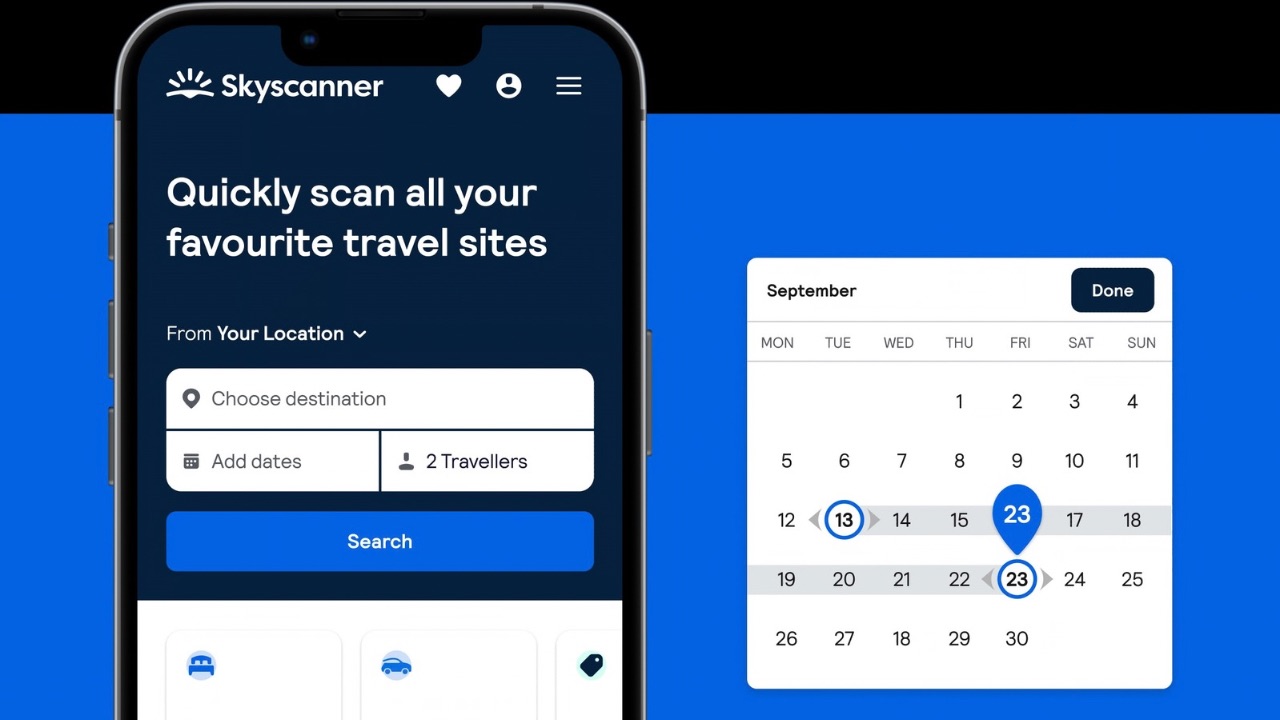
Once you pick a destination, the next instinct is to lock in dates. That’s where most people lose money without realizing it.
Instead, switch to the “Whole Month” view.
You’ll see a calendar with prices for each day. Some dates will clearly stand out as cheaper. Others… not so much.
It’s not about finding the absolute lowest price. It’s about avoiding the expensive days. Even moving your trip by a day or two can make a noticeable difference.
3. Pick your flight, but actually look at it
Now you choose the flight.
Skyscanner will show a mix of options under labels like Best, Cheapest, and Fastest. It’s tempting to just click the cheapest one and move on, but it’s worth taking a closer look.
Sometimes the cheapest flight could include a long layover or lands at an odd hour. Other times, paying a little more saves you a lot of hassle.
This is where you decide what matters more to you: saving money or saving time.
Once you hit “Select,” Skyscanner sends you to the airline or booking site. That’s where you pay and confirm the ticket.
4. Then figure out where you’ll stay
After flights are done, everything else becomes easier because your dates are fixed.
Head over to the hotel section and search for your destination using those same dates.
You’ll see a long list of places. Don’t overthink it at first. Just scroll a bit, get a feel for the price range, then start narrowing things down.
A lot of people sort by price, then check the reviews. That’s usually enough to filter out the obvious bad options.
Also, take a quick look at the map. A cheap hotel isn’t that useful if it’s far from everything you actually want to see.
Once you find something that works, you’ll then be redirected to the booking site so you can reserve it.
5. Decide if you even need a car
This step depends on the trip.
If you’re staying in a city with good transport, you probably will not need a car at all. But then if you’re planning to move around a lot or explore nearby places, it can make things easier.
Search for car rentals using your destination and travel dates. Skyscanner will show what’s available along with the prices.
You don’t need to spend too long here. Just check the basics, pick something reasonable, and move on.
Like everything else, the final booking happens on the rental company’s website.
6. The part people get confused about
At some point you’ll notice a pattern.
Every time you pick something, Skyscanner sends you somewhere else.
That’s normal.
It’s not trying to keep you on its platform. Its job is just to show you the options and let you decide. The actual booking always happens with the airline, hotel site, or rental company.
Putting it all together
When you follow this order, things feel a lot more straightforward.
First you figure out where you can go → then when it’s cheapest → then lock in the flight → then sort out where you’ll stay → and finally decide if you need a car.
No jumping back and forth. No overthinking every step.
It’s still trip planning, so it won’t be perfect. But it’s a lot less chaotic than doing everything separately. And honestly, that alone makes a big difference.
Also Read: Affordable Co-ord Sets Women Under ₹1,500 Worth Trying