A good idea can look very different in your head than it does when you finally try to put it on screen.

You might know roughly how a video should unfold, where a presentation needs to go, or how you want a marketing concept to look. But moving from that rough idea to an organised visual sequence can be surprisingly difficult.
That is where storyboarding comes in.
A storyboard breaks a visual presentation down shot by shot, giving you a way to work out what the audience will see and how the narrative will move before the final piece is created. It can be useful for animation and live-action video, but the same approach can also work for sales presentations and marketing content.
For people who already have some familiarity with design and Canva, Coursera’s Create a Storyboard using Canva Guided Project offers a compact way to learn the process by actually building one.
What a storyboard is really doing
A storyboard is essentially a visual plan.
Instead of jumping straight into producing a video or presentation, you lay out the sequence first. What appears in the opening shot? What comes next? What information needs to be communicated? Where does the script fit? How should the images support the story?
Working through those questions early can make the production process easier to organise.
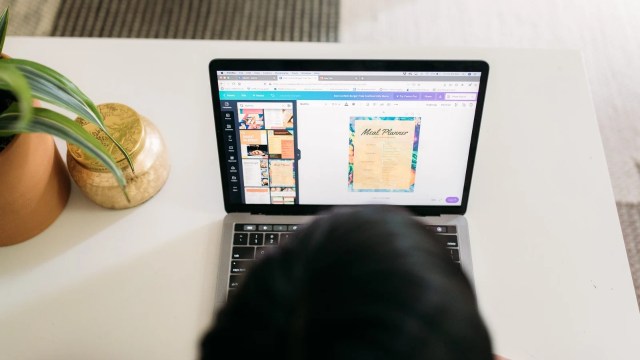
The Coursera project takes learners through the process of creating a storyboard from scratch using the free version of Canva. The focus is not simply on making something that looks attractive. It is about planning and organising ideas and then turning them into a visual sequence.
That distinction is important because a storyboard needs to communicate structure as much as it needs to communicate visuals.
You build the storyboard rather than just watch someone make one
The project is designed as hands-on learning.
In a split-screen video, an instructor guides learners through the work area step by step. The process includes developing a storyboard template, using graphic design tools to build it, adding a script and creating a visual story with images.
Learners also organise the details within the storyboard as they go.
That practical format means the course is less about sitting through a long series of lectures and more about following along while creating something of your own.
The entire project is designed to be completed in less than two hours, making it a relatively contained learning experience for someone who wants to pick up a specific skill without committing to a lengthy course.
Canva becomes more than a design tool
Most people associate Canva with creating presentations, social media graphics or other visual content.
This project approaches it from a slightly different direction.
Because Canva includes graphic design tools, image options and ways to share and collaborate, it can be used to organise the individual elements of a storyboard in one place. Learners work with the platform to create a template, add visual elements and arrange those elements into a coherent sequence.
The project uses the free version of Canva, so learners can follow the exercise without needing to install additional software or purchase a separate design programme.
There is also no download or installation required for the Coursera project itself. One limitation worth knowing is that the course is currently available only on desktop.
Storytelling is as important as design
A storyboard can look polished and still fail to communicate a clear idea.
That is why the project includes narrative writing alongside graphic design. Learners practise adding a script to the storyboard template and combining words and images to create a visual story.
This is particularly relevant for people working in marketing or content, where an image rarely exists entirely on its own. A campaign video, sales pitch or presentation needs a sequence that makes sense to the audience.
The skills covered by the project therefore extend beyond Canva itself. They include storyboarding, storytelling, visual storytelling, marketing, graphic design and also animation, bringing together creative and practical elements of visual communication.
Who is the project for?
This is not positioned as a complete introduction to graphic design.
The project is classified as intermediate level, and then learners are expected to understand basic design principles and already have some familiarity with Canva.
That makes sense given the relatively short duration. Rather than spending time explaining every Canva feature from scratch, the project gets into the specific task of building a storyboard.
Someone who already uses Canva and wants to apply it to video planning, marketing or visual storytelling may therefore find the format more immediately relevant than a general introduction to the platform.
A useful skill for several types of work
One reason storyboarding is worth learning is that it is not tied to a single industry.
A filmmaker can use one to plan shots. A marketer can use one to map out a campaign video. A business professional might use the same approach to structure a sales pitch. Someone working with animation can use sequential frames to think through how a visual idea develops.
The underlying skill is visual planning.
You are taking an idea that exists in your head and giving it a sequence, structure and visual form that other people can understand.
That can be useful whenever a project involves communicating something through a series of visuals rather than one static image.
What you walk away with
The project is built around a straightforward outcome: by the end, learners should have created a storyboard from scratch and practised the steps needed to develop one for future projects.
Along the way, they practise creating a reusable storyboard template, designing a header, writing a script, selecting and organising images, and putting those elements together into a visual narrative.
The project also provides a shareable certificate, which can be added to a LinkedIn profile.
Coursera’s Guided Project format makes this particularly accessible for someone who wants to learn a specific workplace skill without signing up for a long programme. Here, the focus stays narrow: learn how storyboarding works, practise it in Canva and finish with something that can inform your next visual project.
For anyone who already knows the basics of Canva, spending two hours learning how to turn that familiarity into a structured storytelling workflow could be a worthwhile addition to the creative toolkit.
Also Read: The Search Looks Different When the Suitcase Is Shared