

Accessibility is often discussed as something that needs to be checked before an application is released.
That timing can make it harder than it needs to be.
When an interface has already been designed, built and filled with content, changing it to accommodate different ways of interacting with software can mean revisiting decisions that are already deeply embedded in the product.
AI-assisted development creates an opportunity to approach the problem earlier.
Accessibility requirements can be included in the description of an application from the beginning, alongside its features, workflows and visual design. That does not guarantee an accessible product, but it can make accessibility part of the development conversation rather than a final inspection.
Accessibility affects more than screen readers
When people hear accessibility, screen readers are often the first thing that comes to mind.
They are important, but they are only part of the picture.
Some users navigate applications primarily with a keyboard. Others may have difficulty distinguishing certain colours, reading small text or interacting with tiny controls. Some people benefit from clear language, predictable navigation and interfaces that don’t depend entirely on precise mouse movements.
There are also temporary situations to consider. Someone with an injured hand may have difficulty using a touchscreen. A person using a phone outdoors may struggle with low contrast. A noisy environment can make audio-dependent information less useful.
An accessible interface often ends up being a more flexible interface for everyone.
Small design decisions can have large effects
Accessibility isn’t necessarily about adding a special feature at the end.
It can be present in ordinary design decisions.
A form needs labels that clearly explain what each field requires. Buttons should communicate what they do. Error messages should tell users how to correct a problem instead of simply announcing that something went wrong.
Navigation should behave consistently.
Images that convey important information may need meaningful alternative text. Colour should not be the only way information is communicated.
These details can be easy to overlook when a development team is concentrating on getting the main functionality working.
Including them in the original requirements gives them a better chance of surviving into the finished application.
AI makes accessibility requirements easier to state in plain language
One of the interesting aspects of AI-assisted development is that requirements don’t necessarily have to begin as technical instructions.
A product team could describe an application and explicitly state that it should support keyboard navigation, provide clear form errors, maintain readable contrast and work with assistive technologies.
Those requirements can become part of the development brief.
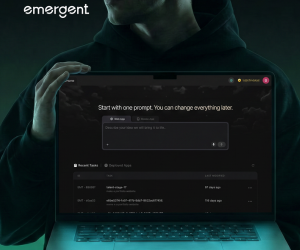
Platforms such as Emergent allow users to generate full-stack web and mobile applications from natural-language instructions. That makes it possible to describe accessibility expectations alongside the rest of the product instead of treating them as a separate technical exercise.
There is still a major qualification: an AI system can generate an interface that appears to follow accessibility principles without actually meeting the needs of real users.
Testing remains essential.
Automated checks can only go so far
Accessibility tools can identify certain problems automatically.
They can flag missing labels, insufficient colour contrast and other issues that can be detected from the structure of a page.
But automated testing does not understand every aspect of the user experience.
A keyboard user can tell you that a particular navigation sequence is frustrating. A screen-reader user can identify when information is technically present but presented in an confusing order. Someone with a cognitive disability may find a workflow difficult even though every individual component passes an automated check.
This is why accessibility testing benefits from involving people with different needs.
AI can help developers get closer to a usable first version. It cannot replace feedback from the people the application is meant to serve.
Mobile apps introduce another layer
Accessibility becomes particularly interesting on mobile because interaction is different from using a desktop computer.
Touch targets need to be practical. Text needs to remain readable on smaller screens. Orientation changes can affect layouts. Voice control and device-level accessibility features may also influence how people interact with an application.
For businesses creating both web and mobile products, accessibility therefore needs to be considered across more than one interface.
Emergent supports the creation of web and mobile applications from natural-language instructions, which can make it easier to include accessibility requirements across both versions while the product is being developed.
The same testing principle applies, though. A feature working on one platform does not automatically mean that the experience is accessible on another.
Accessibility can be cheaper to build in than retrofit
This is one of the practical reasons to consider accessibility early.
Changing a colour is relatively simple. Rebuilding a complicated interface because information was communicated through colour alone is a different task.
Likewise, adding meaningful labels during development is straightforward. Discovering later that dozens of custom controls cannot be used properly with assistive technology can require much more extensive work.
The earlier accessibility enters the process, the fewer assumptions need to be undone.
That doesn’t mean every application needs an enormous accessibility programme before its first prototype. It means the basic requirements should be known before design decisions become difficult to change.
Where the platform fits financially
Emergent offers several levels of access for teams building and refining applications.
The Free plan includes 10 monthly credits, with core capabilities for web and mobile app development, one-click LLM integration and access to the latest AI models.
The Standard plan costs $20 per month or $204 per year and increases the allowance to 100 monthly credits. It also includes private project hosting, GitHub integration, task forking and the option to purchase additional credits.
For larger projects, the Pro plan is $200 per month or $2,004 per year. It provides 750 monthly credits, a 1-million-token context window, high-performance computing, custom AI agents, advanced reasoning capabilities and priority customer support.
For teams using AI development as an iterative process, those additional credits can support repeated rounds of building, testing and refinement rather than treating the first generated version as the finished application.
Accessibility works better as a development habit
The most useful change may be a simple one.
Accessibility does not have to arrive as a checklist that someone opens just before launch. It can be part of the original product description, discussed alongside the user journey, data requirements and functionality.
AI-assisted development makes that easier to attempt because the distance between a requirement and a working interface is becoming shorter.
That also makes it easier to discover problems earlier.
An accessible application still requires proper testing, human feedback and attention from developers and designers. But when those considerations enter the project before the interface has hardened around a set of assumptions, there is less to rebuild later.
For software teams, that is a fairly practical reason to think about accessibility at the beginning rather than waiting until the end.
Also Read: Portable Document Scanners on Amazon for Work Away from the Office