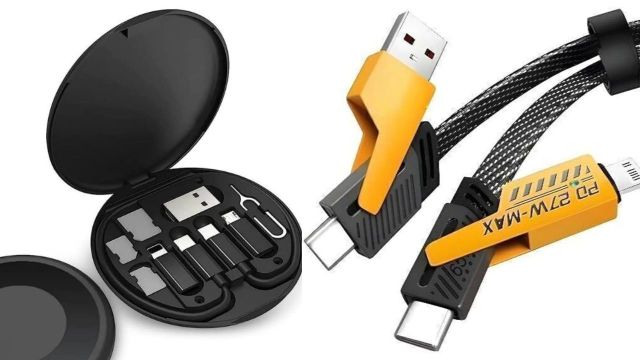
Best multi-connector charging cables to check out: A multi-connector cable is the easiest way to cut down clutter—one cord that can handle different devices without you carrying three separate wires. On Flipkart, 3‑in‑1 and even 4‑in‑1 “universal” cables are widely available with connector mixes like Type‑C + Lightning + Micro‑USB, which suits households with mixed Android/iPhone accessories.
Flipkart edit: 5 multi-connector cables to consider
These picks have been curated from Flipkart listings for multi-connector charging cables, including 3‑in‑1 options and a 4‑in‑1 variant for broader compatibility. The goal is to help you shortlist by what matters in real use—connector combo, cable length, and durability cues like nylon braiding or compact “short” carry styles.
Multi-connector cables look similar at a glance, but they behave very differently once they’re in daily rotation: some are basically “emergency power splitters,” some are normal data cables with extra ends, and one here is closer to a compact travel kit than a cable. The cleanest way to choose is to match the cable to the setting—desk, commute bag, or travel pouch—rather than trying to find a single do-everything option.
A quick reality check: what “3‑in‑1” means here
- MECKWELL Power Sharing Cable 1 m 3-in-1 Multiple charging cable reads like a basic multi-tip cable that prioritises compatibility over performance, with a listed cable speed of 3 Mbps and USB Type‑A on one side.
- FASTX Micro USB Cable 2 A 1 m 3 in 1 Cable Nylon Braided is positioned more like a regular everyday cable, with a 2A current rating and 480 Mbps stated speed.
- Campark 3-in-1 Cable 0.5 m Data Cable Set 60W is less a cable and more a modular kit: one main cable plus adapters, stored in a small case that can double as a phone holder and includes SIM storage.
- Good One 4-in-1 Cable 1 m Copper G1-4-IN-1 BLK USB CAB shifts the “one cable” idea to four combinations, including USB‑C to USB‑C and Lightning options, which suits mixed Apple/Android setups.
- Bestor USB Type C Cable 2 A 1.2 m Multi Charging Cable focuses on the familiar trio (Type‑C/Lightning/Micro USB) with a 2A rating and a 480 Mbps speed listing, but also mentions it may be charge-only depending on variant/listing details.
Five cables, five roles (with pros and cons)
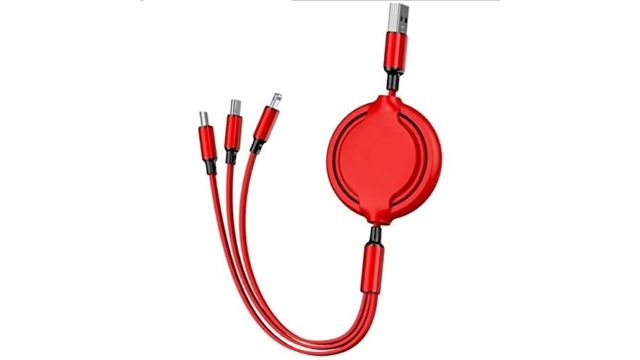
MECKWELL Power Sharing Cable 1 m 3-in-1 Multiple charging cable
- Best for: low-stakes backup use (office drawer, power bank pouch) where “it charges something” matters more than data speed.
- Pros: simple USB‑A plug, 1 m length, broad “all smartphone/tablet” positioning.
- Cons: 3 Mbps listed speed suggests it’s not meant for serious file transfers, and it’s safer to treat it as a charging-first cable.
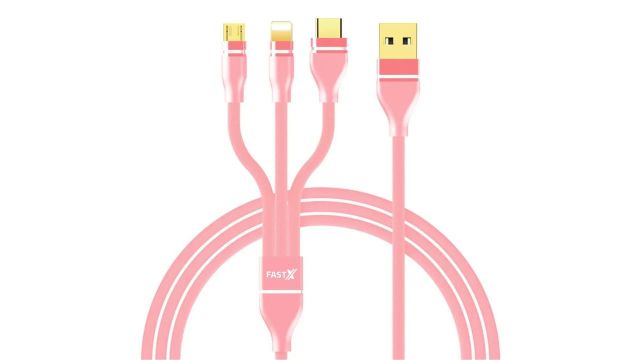
FASTX Micro USB Cable 2 A 1 m 3 in 1 Cable Nylon Braided
- Best for: a daily carry cable that still covers multiple device types and can handle basic data needs.
- Pros: 2A rating and 480 Mbps listed speed, plus nylon braided build and corrosion-resistant details in the spec-style description.
- Cons: “3-in-1” heads can add small points of failure over time (stress at the split), so it benefits from not being yanked out at an angle.
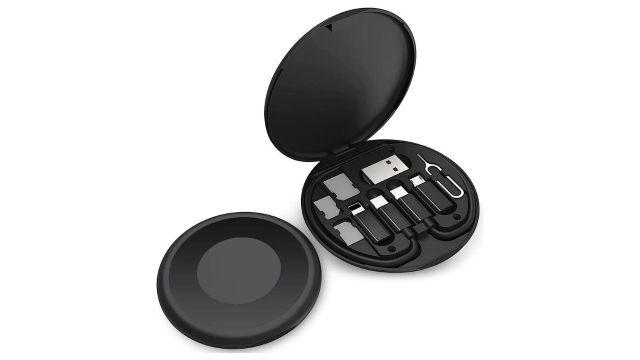
Campark 3-in-1 Cable 0.5 m Data Cable Set 60W
- Best for: travel, especially when the bag also needs a SIM ejector pin, spare SIM storage, and occasional OTG-style use.
- Pros: modular connector approach (Type‑C to Type‑C plus adapters), up to 60W stated fast charging, 480 Mbps stated transfer speed, and a compact 8.5 cm case that doubles as a stand.
- Cons: the main cable length is short (0.5 m in the product name context), which is fine on a flight or café table but awkward for wall sockets that sit far from the bed.
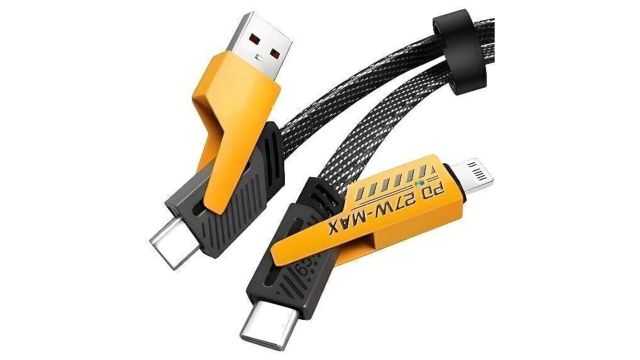
Good One 4-in-1 Cable 1 m Copper G1-4-IN-1 BLK USB CAB
- Best for: households with both USB‑A chargers and USB‑C chargers, plus a mix of Lightning and USB‑C devices.
- Pros: four connector combinations reduce the “wrong end again” problem, and the listing highlights USB‑C to USB‑C as an option, which is useful with newer adapters.
- Cons: a 4-in-1 design is convenient, but it’s also inherently more complex—worth keeping as the shared family cable rather than the one that gets bent in a jeans pocket daily.
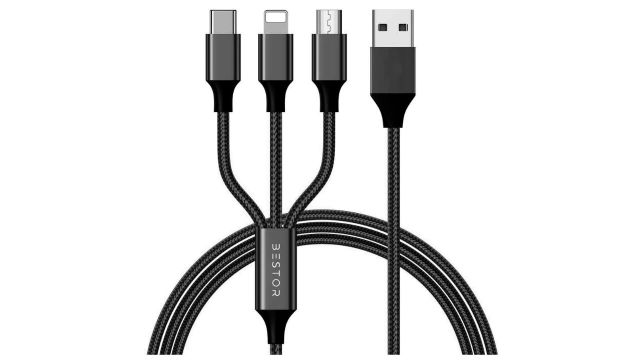
Bestor USB Type C Cable 2 A 1.2 m Multi Charging Cable
- Best for: sofa/bedside use where the extra 0.2 m length matters and the goal is topping up multiple devices.
- Pros: 1.2 m length, 2A rating, and a nylon-braided build style that’s generally chosen for durability.
- Cons: some listings/reviews around this product family point to slower-than-expected charging depending on charger/device pairing, so it’s better treated as “convenient” rather than “fastest possible.”
Small pro-tips that prevent most cable regret
- For travel: Campark 3-in-1 Cable 0.5 m Data Cable Set 60W makes most sense when packed as a kit (case + adapters), not as a loose cable, because the entire value is in the modular pieces and storage.
- For mixed old/new chargers: a cable that supports both USB‑A and USB‑C source connections (like the Good One 4-in-1 approach) can reduce dependency on dongles, especially in cars and older power banks.
- For data transfer: default to cables with a 480 Mbps listed speed (FASTX, Bestor, and the Campark kit claim this), and avoid relying on very low listed speeds for file movement.