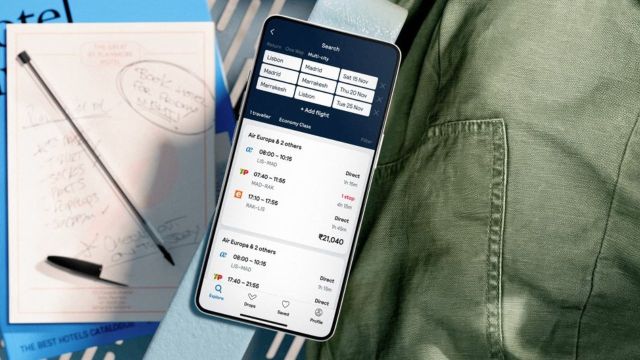
Skyscanner is simple on the surface. You search, compare, pick a flight.
But the way you use it makes a big difference.
A lot of people end up paying more or choosing the wrong option, not because Skyscanner is confusing, but because of small habits that don’t seem like mistakes at the time.
Here are the ones that show up again and again.
Being too fixed on exact dates
This is probably the most common one.
You decide you want to fly on a specific Friday, search once, and accept whatever price shows up.
The problem is, flight prices don’t work around your schedule.
Even shifting by a day or two can change things quite a bit. If you don’t check, you’ll never know.
The calendar view exists for a reason. It shows you the bigger picture instead of just one number.
Ignoring nearby airports
Most people search from one airport and stick to it.
But depending on where you are, there might be another airport close enough to consider.
Sometimes:
- Flying from a nearby metro is cheaper
- Arriving at a different airport costs less
It doesn’t always work, but when it does, the difference can be noticeable.
Automatically picking the cheapest option
The lowest price catches your eye first. That’s normal.
But then the cheapest flight isn’t always the best one.
It might have:
- Very long layovers
- Odd timings
- Tight connections
A slightly higher price can sometimes mean a much smoother journey.
It’s worth looking beyond just the number.
Not checking total travel time
It’s easy to focus on price and ignore duration.
A flight that looks cheap might take significantly longer because of stops or long layovers.
For short trips, this can take away a big chunk of your time.
Always glance at the total journey time before deciding.
Overlooking baggage rules
This one usually shows up after booking.
Some cheaper fares don’t include checked baggage. Others have stricter limits.
If you don’t check this, you might end up paying extra later, which cancels out the savings.
A quick look at baggage details can save you that trouble.
Not comparing providers before booking
When you select a flight on Skyscanner, you’ll see multiple providers offering the same ticket.
Many people just click the first option.
But prices can vary slightly depending on where you book from. So, it’s better to take a few extra seconds to compare which can help you avoid paying more than necessary.
Getting confused during the redirect
This part trips people up.
Once you click “Select,” Skyscanner redirects you to another website. That’s where the actual booking happens.
Sometimes the price changes slightly during this step because fares update in real time.
If it changes too much, it’s worth going back and checking other options instead of continuing blindly.
Waiting too long after finding a good price
This is the opposite of rushing.
You find a price that looks reasonable, but decide to wait just in case it drops further.
Sometimes it does. But often, it goes up instead.
If you’ve already checked nearby dates and the price looks consistent, waiting too long can work against you.
Not using price alerts
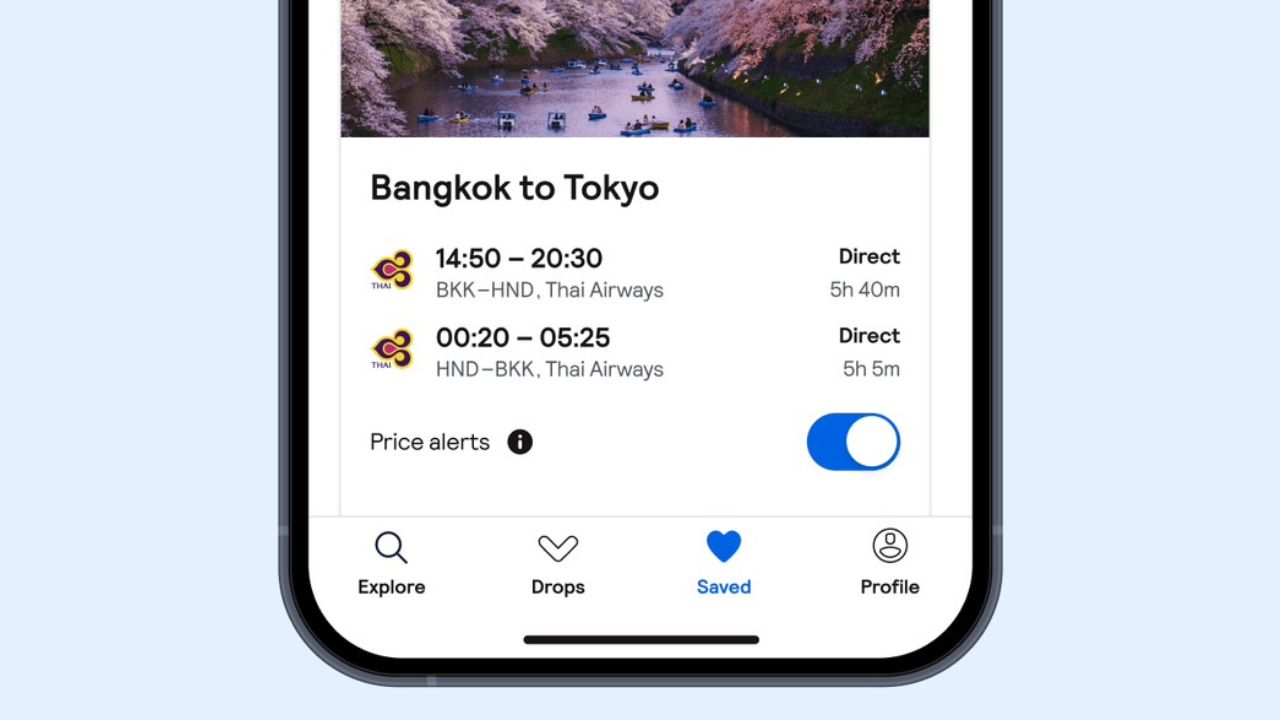
If you’re planning ahead, this is one of the easiest things to use.
Instead of checking the same route every day, you can set a price alert and let it update you.
Skipping this means you either forget to check or keep checking manually without really tracking anything.
Treating Skyscanner like a booking site
This one causes confusion.
Skyscanner doesn’t sell you the ticket but shows you who is selling it.
So if you need to change or cancel your booking later, you’ll deal with the airline or the provider you booked through, not Skyscanner.
Knowing this upfront avoids frustration later.
The simple takeaway
Most of these mistakes aren’t big.
They’re small things like not checking dates properly, ignoring details, or rushing through with a decision.
But together, they can affect how much you pay and how smooth your trip feels.
If you slow down just a little and use the tools properly, Skyscanner does exactly what it’s supposed to do, it shows you your options clearly.
What you do with those options is where the difference comes in.
Also Read: Skyscanner Tips and Tricks to Save Money on Flights and Hotels