If you have been tracking your menstrual cycle in Clue for months or even years, starting again from scratch in another app can be frustrating. There is a lot of useful history sitting in those previous entries, and having to manually recreate it takes away from the point of using a digital tracker in the first place.
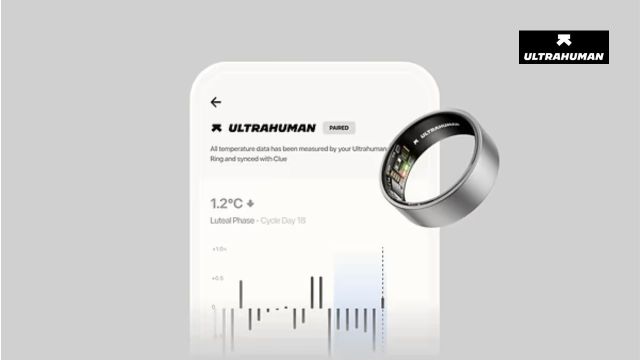
Ultrahuman’s integration with Clue is designed to carry that history into the Ultrahuman app, where it can be viewed alongside biometric information collected by the Ultrahuman Ring AIR.
The two apps do different jobs. Clue provides the period history, while Ultrahuman can place that history alongside signals such as skin temperature, resting heart rate and HRV. Together, the information can provide a fuller picture of how your cycle and everyday health metrics change over time.
What is Clue?
Clue is a science-based menstrual and reproductive health tracking app that records information about periods and cycle patterns. It has been available since 2013 and has accumulated more than 15 billion data points, with over 100 million downloads and more than 10 million current users worldwide.
The company also works with research partners on areas including endometriosis, PMDD and PCOS.
For an Ultrahuman user, though, the most relevant part of Clue is the cycle history that has already been recorded there.
Why connect Clue to Ultrahuman?
The biggest advantage is that you don’t have to start rebuilding your cycle history manually.
Once the integration is active, the previous six months of period history from Clue are automatically brought into the Ultrahuman app. That gives Ultrahuman a more useful starting point when it is interpreting your cycle and estimating its different phases.
The imported dates can then be viewed alongside information from the Ring AIR, including sleep, activity, skin temperature, resting heart rate and HRV.
This can make changes in those metrics easier to put into context. A shift in HRV, for example, may look different when you know where you are in your menstrual cycle.
How Ultrahuman uses the cycle information
The Ultrahuman Cycle & Ovulation PowerPlug identifies four broad phases: menstrual, follicular, ovulation and luteal.
It combines period information with biometric signals such as temperature, resting heart rate and HRV to estimate the fertile window and identify the likely day of ovulation.
The Ring AIR can then add another layer to the experience through notifications based on the current cycle phase. Depending on the phase, these may encourage changes in workout intensity or suggest giving recovery and downtime more attention.
The point is not simply to display a calendar. The biometric data gives the cycle history some physiological context.
What happens to your Clue data?
The integration has a fairly specific direction of data flow.
Ultrahuman reads historical period dates from Clue and adds them to its own calendar. It then uses the Ring AIR’s temperature, heart-rate and HRV data within the Ultrahuman app to calculate cycle phases and estimate ovulation.
Ultrahuman does not read basal body temperature data from Clue, and biometric information collected by Ultrahuman is not written back to Clue.
So if you have spent years building a cycle history in Clue, that information can inform your Ultrahuman experience without the two apps becoming a single shared database of every biometric measurement.
What can the combined data show?
Once the cycle history and Ring data are viewed together, some patterns become easier to recognise.
During the follicular phase, you may see HRV improve, resting heart rate dip slightly and your temperature baseline sit lower. These changes can coincide with feeling more energetic for some people.
During the luteal phase, HRV may decrease, resting heart rate can rise and skin temperature can remain elevated. Seeing those changes in the context of your cycle can make it easier to understand why the same workout, sleep duration or recovery score might feel different at different points in the month.
These are patterns rather than rules. Individual cycles vary, which is one reason having your own historical data can be more useful than relying entirely on population averages.
How to connect Clue to the Ultrahuman app
The setup happens inside the Ultrahuman app. Before starting, keep your Clue login details handy.
- Open the Ultrahuman app.
- Tap Profile in the bottom-right corner.
- Scroll down to Connect Other Apps.
- Find Clue in the list.
- Turn on Connect to Clue.
- Tap Continue and sign in to your Clue account.
- Tap Continue again to allow Terra to connect your wearable data.
- Log into Clue using your email address and password.
- Go to Cycle Details in the Ultrahuman Profile tab.
- Tap App Integration.
- Make sure Clue is selected and shows as Active.
- Tap Continue.
Once the connection is complete, your Clue period history should begin syncing with the Ultrahuman app.
A more complete picture of your cycle
Cycle tracking becomes more useful when the calendar and the body’s signals can be viewed together.
Clue brings the historical record of when your periods occurred. Ultrahuman adds the continuous information collected by the Ring AIR, including temperature, HRV and resting heart rate. That means you can look beyond the dates on a calendar and see how your own biometric patterns tend to shift as the cycle progresses.
For someone who already has a substantial history in Clue, the integration also means that history does not have to be left behind when adding Ultrahuman to their health-tracking routine.
Also Read: How AI App Development Is Making Accessibility Easier to Consider From the Start